OEM USB-C Cable: What You Need to Know Before You Order?
You send an RFQ for "USB-C cables" and get three quotes that differ by 60%. You assume one supplier is overcharging or another is cutting corners. But the real problem is this: you didn't specify which USB-C cable you actually need.
USB-C describes the connector shape, not the cable's function. A 6-pin USB-C cable only delivers power. A 16-pin cable adds data transfer. A 24-pin cable handles full-speed data and video.1 Each variant uses different core counts, wire gauges, and components. If you don't specify these upfront, you'll either get useless quotes or discover mid-sampling that your "standard cable" doesn't match your device's requirements.
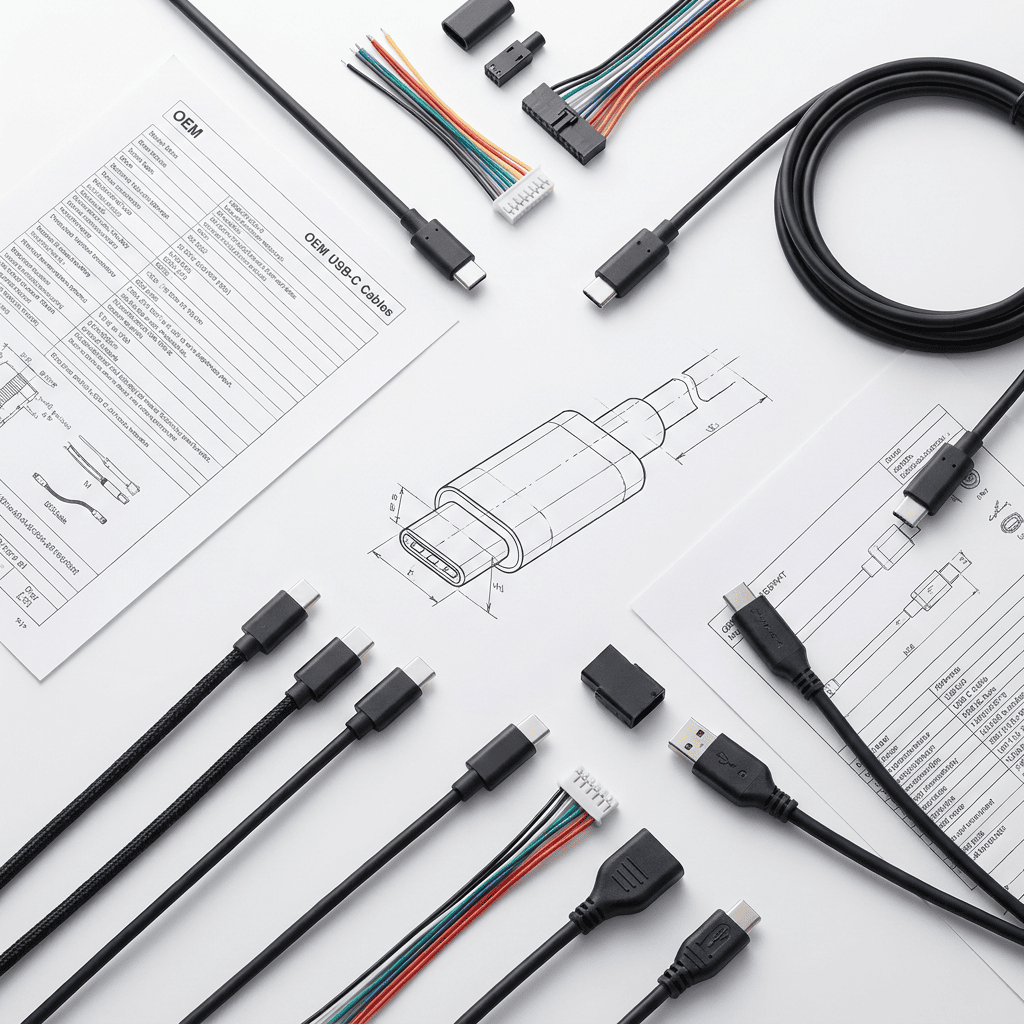
I've been on the receiving end of hundreds of RFQs that say "need USB-C cables for charging bank" or "USB-C for laptop accessory." My first response is always three questions: What's your peak power draw? Do you need data transfer, and if yes, at what speed? Are you selling through a channel that requires USB-IF certification? Without these answers, any quote I give is just guessing.
What Does Pin Count Actually Control in USB-C Cables?
Pin count confusion wastes more sampling budgets than any other specification error. Buyers see "USB-C" and assume all cables do the same thing. They don't.
A USB-C connector can have 6, 16, or 24 pins physically wired. 6-pin cables only carry power—no data lines at all. 16-pin cables add USB 2.0 or USB 3.0 data capability. 24-pin cables enable full USB 3.1 Gen 2 (10Gbps) speeds, video output, and bidirectional power. If you order 6-pin cables for a device that needs file transfer, the cable will physically fit but do nothing when users plug it in.
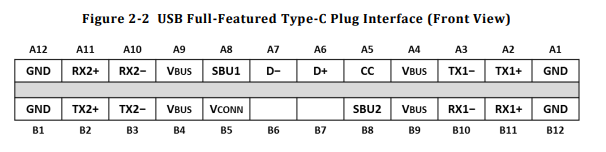
I had a distributor order 5,000 units of 6-pin cables for a portable hard drive accessory. They rejected the first sample batch, saying the cables "didn't work." The cables worked perfectly—for charging. But their device needed data transfer, which requires at least 16 pins wired. They had copied a competitor's "USB-C charging cable" spec without checking what their own product actually needed.
Here's how to map your device to pin count:
| Device Function | Minimum Pin Count | Why |
|---|---|---|
| Charging only (phone, power bank) | 6-pin | Only needs VBUS and GND for power delivery |
| Charging + file transfer (external drive, phone sync) | 16-pin | Adds USB 2.0 data lines (D+ and D-) |
| High-speed data (SSD, video capture) | 24-pin | Requires USB 3.1 SuperSpeed differential pairs |
| Video output (monitor, dock) | 24-pin | Needs additional lanes for DisplayPort alt mode |
If you're sourcing cables for resale, check your competitor's actual specs, not their marketing claims. A cable advertised as "universal USB-C" is usually 16-pin with USB 2.0 data—it won't support 4K video or 10Gbps SSDs even though it physically fits those devices.
The cost difference between pin counts is 30-50%.2 But if you under-spec the cable, you waste 100% of your sampling and tooling costs when it doesn't perform. If you over-spec it, you're paying for wiring and shielding your product will never use.
Why Does 3A vs 5A Current Rating Change Everything?
The 3A threshold determines whether your cable needs expensive components and thicker conductors. Buyers who say "fast charging" without specifying wattage get quotes that assume 3A, then discover their 100W laptop charger needs 5A cables that cost 60% more.
Cables rated above 3A (60W at 20V) must include an E-Marker chip to negotiate power delivery with the device.3 They also need thicker power conductors—typically 20AWG or lower, compared to 24AWG or 22AWG for 3A cables.4 Below 3A, you can skip the E-Marker unless your sales channel requires USB-IF certification. This cutoff separates budget cables from premium cables in manufacturing cost.
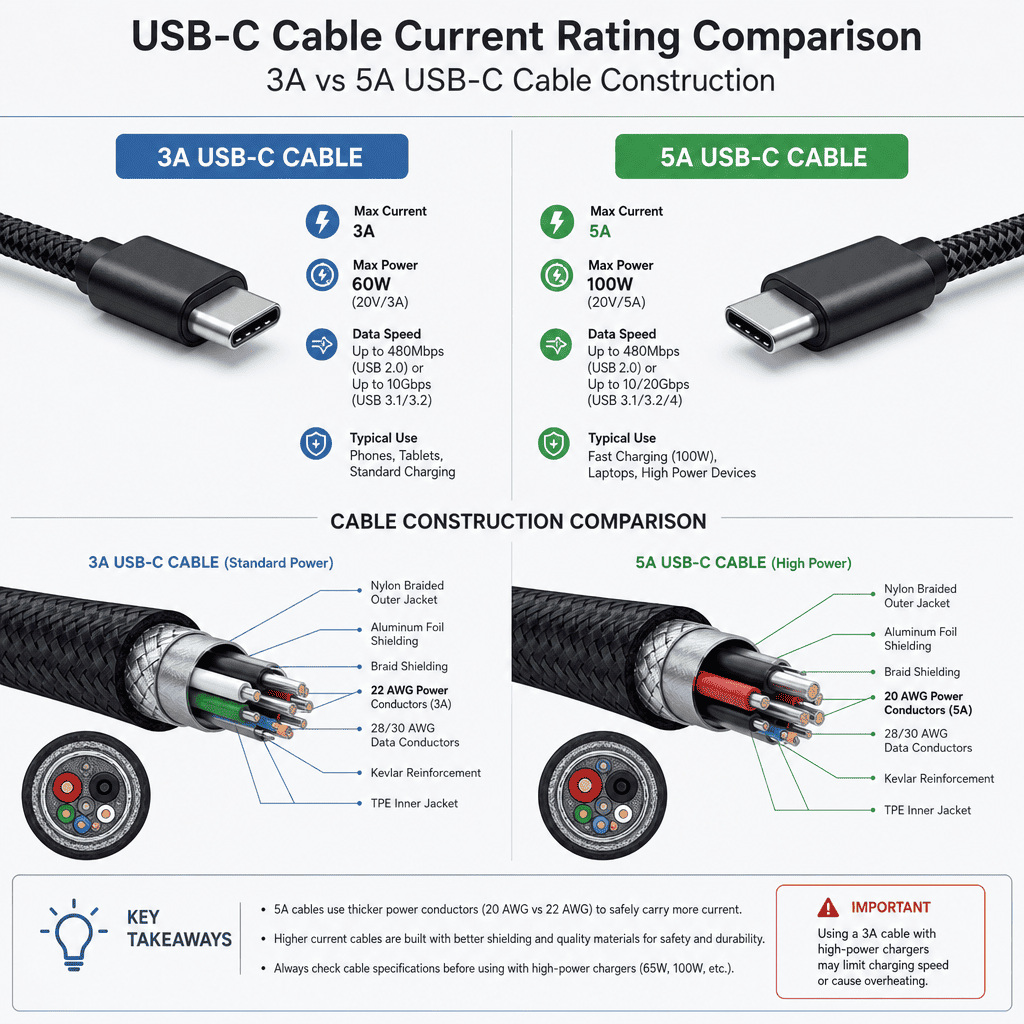
A product manager once asked for "USB-C cables for fast charging portable monitors." I quoted two options: 3A cables at $2.10 and 5A cables at $3.40. They chose 3A to save cost. Three weeks into sampling, they told me their monitors pull 65W peak—which requires 5A at 13V or 3.25A at 20V. Their "cost saving" meant re-sampling with thicker gauge wire and E-Marker chips, which delayed their product launch by six weeks.
Here's the decision tree for current rating:
If your device draws 60W or less:
- Use 3A cables with 24AWG or 22AWG power conductors
- E-Marker chip is optional unless you need USB-IF certification
- Cost range: $1.80-$2.50 per unit at 1000-piece MOQ
If your device draws 61W to 100W:
- Use 5A cables with 20AWG or 18AWG power conductors
- E-Marker chip is mandatory per USB-C spec
- Cost range: $3.20-$4.80 per unit at 1000-piece MOQ
If you're not sure what your device draws: Check the power adapter label. A 65W laptop charger running at 20V draws 3.25A peak—you need a 5A cable. A 45W phone charger running at 15V draws 3A—you can use a 3A cable. Don't guess. Under-rated cables will either refuse to charge (if E-Marker prevents connection) or overheat the conductors (if there's no E-Marker safety cutoff).
One more thing: some buyers specify 5A "just to be safe" when their device only needs 2A. You're paying 60% more for a safety margin you don't need. If your device ships with a 30W adapter, don't order 100W cables.
How Does Core Count Relate to What the Cable Actually Does?
Core count determines manufacturing cost and cable flexibility, but buyers often confuse it with pin count. A 24-pin connector doesn't automatically mean 24 cores inside the cable. The number of cores follows what signals you're actually transmitting.
A charging-only cable with 24-pin connectors might only wire 6 cores: two for power, two for ground, and two for configuration channel (CC). A cable that supports USB 3.1 Gen 2 data needs additional shielded twisted pairs for SuperSpeed TX and RX lanes—typically 10-16 cores total depending on whether you wire both directions. Buyers who copy a competitor's "24-pin USB-C" spec without understanding core count end up with cables that cost more to manufacture but deliver the same performance as simpler designs.
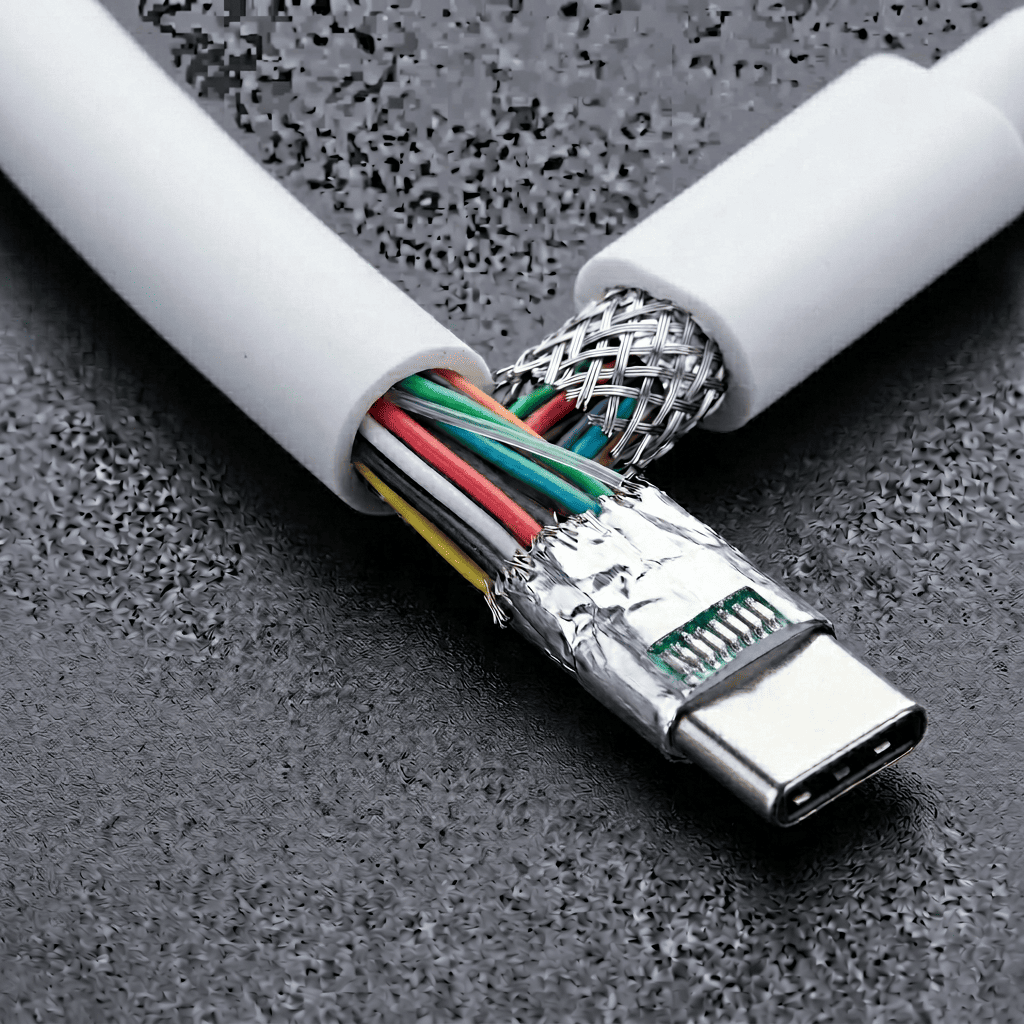
I receive RFQs that specify "24-pin connector, 20 cores" for a power bank cable. When I ask if the device transfers data, the answer is "no, just charging." That cable only needs 6-10 cores depending on whether they want USB 2.0 backward compatibility. The extra cores add cost, reduce flexibility, and serve no function.
Here's how core count maps to function:
| Cable Function | Typical Core Count | What Those Cores Do |
|---|---|---|
| Power only | 6-8 cores | VBUS x2, GND x2, CC x2, optional VCONN and SBU |
| Power + USB 2.0 data | 10-12 cores | Above plus D+, D-, shield/drain wires |
| USB 3.1 Gen 1 (5Gbps) | 14-16 cores | Above plus one pair SuperSpeed TX/RX, dedicated shields |
| USB 3.1 Gen 2 (10Gbps) | 16-20 cores | Above plus second pair for bidirectional lanes, enhanced shielding |
More cores mean thicker cable diameter and higher material cost. A 6-core cable might be 3.5mm diameter. A 16-core cable with proper shielding is often 5-6mm.5 If your product design has tight cable routing or needs flexible cables for repeated bending, over-specifying core count will create mechanical problems even if the electrical performance is fine.
I had a buyer order 18-core cables for a desk charging station with short fixed-length cables. After sampling, they complained the cables were too stiff to route through their plastic cable management clips. We switched to 10-core construction (they only needed USB 2.0 data) and the problem disappeared. They paid 25% less and got better mechanical fit.
What's the Real Relationship Between Data Speed and Cable Length?
Buyers who request "2-meter USB-C cable with 10Gbps data speed" are asking for something that violates physics without expensive active components. Data speed and passive cable length trade off against each other, but most RFQs ignore this completely.
USB 3.1 Gen 2 (10Gbps) typically works up to 1 meter in passive cables due to signal attenuation and timing requirements.6 USB 3.1 Gen 1 (5Gbps) can reach 2 meters with good shielding and conductor quality. USB 2.0 (480Mbps) works reliably at 3 meters.7 If you need longer cables at high speeds, you're looking at active cables with signal repeater chips—which cost 3-5x more8 and require external power or intelligent power management.
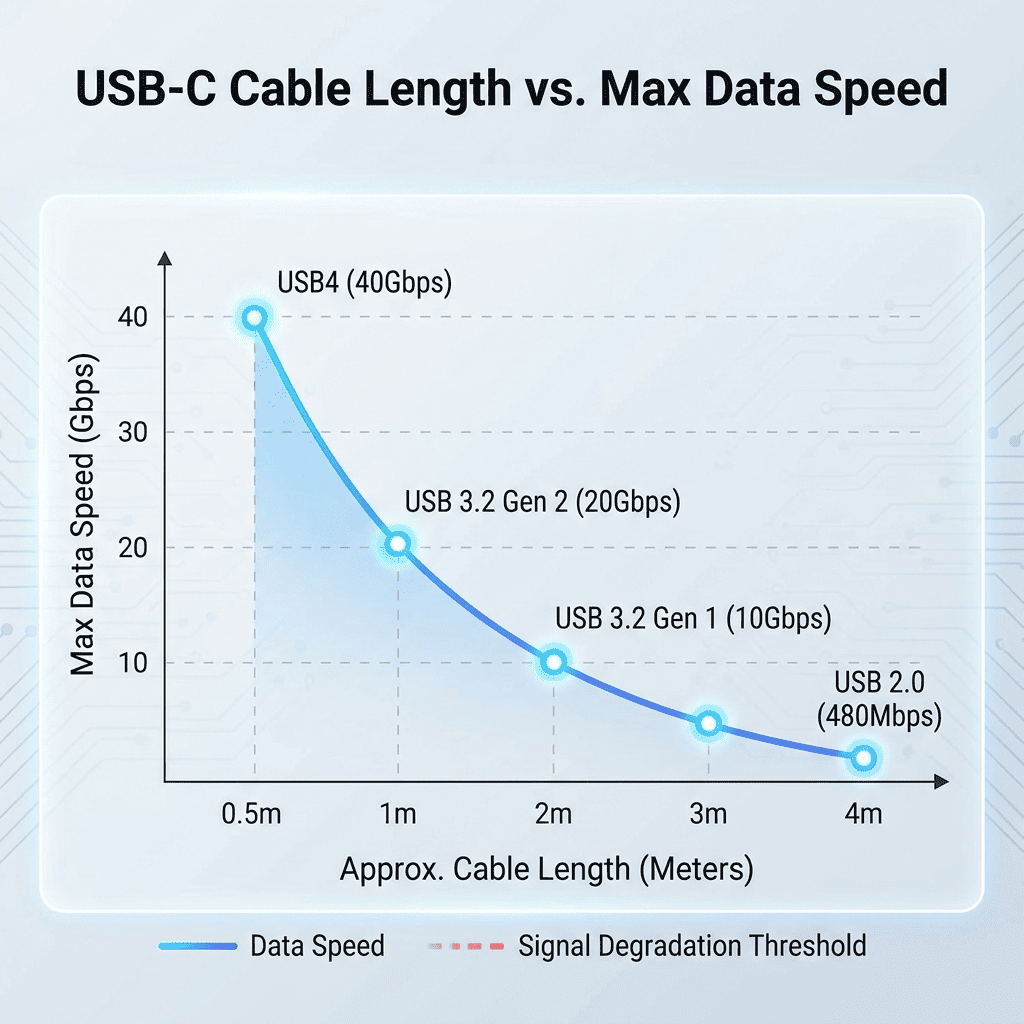
A distributor once sent an RFQ for "2-meter USB-C cables for external SSD enclosures, must support 10Gbps." I replied asking if they'd consider 1-meter cables or accept 5Gbps at 2 meters. They insisted on the original spec. I quoted an active cable solution at $12 per unit. They went silent, then came back two weeks later asking for the 1-meter option at $4.20 per unit. Turns out their end customer never specified 2 meters—the distributor just assumed "longer is better."
Here's the length-speed decision matrix:
For USB 2.0 data (480Mbps):
- 0.5-3 meters: standard passive cable, any AWG adequate for power requirements
- 3-5 meters: may need signal quality testing, not guaranteed by spec
For USB 3.1 Gen 1 (5Gbps):
- 0.5-1 meter: reliable with standard construction
- 1-2 meters: requires quality twisted pairs and tight shielding tolerances
- Beyond 2 meters: active cable needed
For USB 3.1 Gen 2 (10Gbps):
- 0.5-1 meter: maximum for passive cables with optimal conductor and shielding
- Beyond 1 meter: active cable with repeater chips required
If your device only needs USB 2.0 speeds (most phones, charging accessories, peripherals), don't pay for USB 3.1 construction and then order 2-meter cables. You're burning budget on shielding and conductor quality that won't improve performance.
Also consider your actual use case. A laptop charging cable doesn't need to be 2 meters if users keep their laptops on desks next to power outlets. A phone sync cable in a retail store kiosk might need 1.5 meters to reach from the display unit to the charging base. Match the length to real installation requirements, not to some generic "flexibility" assumption.
When Do You Actually Need E-Marker Chips and USB-IF Certification?
E-Marker and USB-IF certification are decision gates that add cost, but buyers treat them as quality indicators and over-spec cables that don't need either. This confusion comes from mixing legal requirements, channel requirements, and marketing preferences.
E-Marker chips are mandatory above 60W (3A at 20V or 5A at any voltage) per the USB Power Delivery specification. They're the component that negotiates power levels between the device and charger. Below 60W, E-Marker is optional unless your buyer's sales channel requires it. USB-IF certification is required by some retail channels (Amazon US in certain categories, large enterprise buyers)9 and some device manufacturers, but it's not required by the USB specification itself. Many working cables are not USB-IF certified—they just can't carry the USB logo or market themselves as "USB-IF compliant."
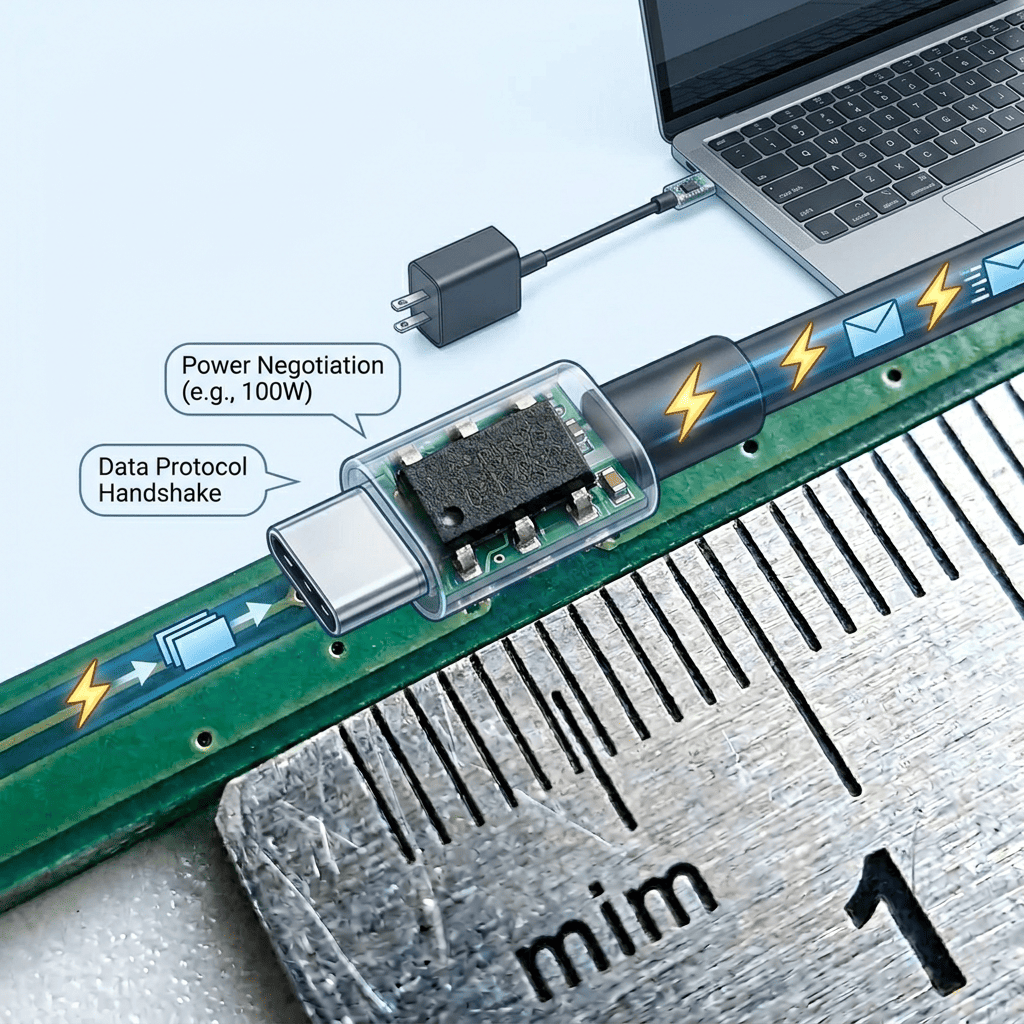
I've had buyers specify "must include E-Marker and USB-IF certification" for 2A charging cables going to European distributors. When I ask why, the answer is usually "because we want high quality cables." But E-Marker adds $0.40-0.80 per cable10 and serves no function at 2A. USB-IF certification costs $8,000-15,000 in testing and annual fees.11 For a 5,000-unit order, that's $1.60-3.00 per cable just for a logo that European distributors don't require and end users don't check.
Here's when you actually need each one:
E-Marker chip required when:
- Cable is rated for 5A (regardless of voltage)
- Cable supports more than 60W total power delivery
- Device manufacturer specifically requires E-Marker for product compatibility
E-Marker optional when:
- Cable is rated 3A or below
- Total power delivery is 60W or less
- No specific device compatibility requirement exists
USB-IF certification required when:
- Selling through Amazon US in categories that mandate it (check current Amazon requirements)
- Buyer is large enterprise with procurement policy requiring certified cables
- Using the USB logo in marketing materials or packaging
USB-IF certification optional when:
- Selling through European distributors (most don't require it)
- Selling direct to device manufacturers who handle their own compliance
- Private label or white label products without USB logo
One more scenario: some buyers want USB-IF certification "for brand reputation" even though their channel doesn't require it. That's a valid business decision, but recognize you're spending $1.50-3.00 per cable on marketing value, not technical performance. The cable won't charge faster or last longer because it has a certification mark.
If you're comparing quotes and one supplier includes E-Marker and certification while another doesn't, don't assume the first supplier is offering better quality. Check if your application actually needs those features. If you're selling 30W phone chargers to European distributors, you're paying for components you'll never benefit from.
Conclusion
USB-C cables aren't products you buy off a menu. They're specification outcomes. Before you request quotes, map your device's power draw, data speed needs, cable length requirements, and sales channel rules to pin count, current rating, core count, and certification needs. If you skip this step, you'll either get useless quotes or expensive surprises during sampling.
"USB-C - Wikipedia", https://en.wikipedia.org/wiki/USB-C. The USB Type-C specification defines connector configurations with varying pin counts that determine cable functionality, with full 24-pin implementations supporting data, power, and alternate modes. Evidence role: definition; source type: institution. Supports: the pin count variations in USB-C connectors and their functional capabilities. Scope note: The source describes the connector specification; actual cable implementations may wire fewer pins than the connector physically contains. ↩
"USB-C - Wikipedia", https://en.wikipedia.org/wiki/USB-C. Cable manufacturing costs increase with pin count due to additional conductors, shielding requirements, and assembly complexity, with industry analyses showing significant cost differentials between basic and full-featured implementations. Evidence role: statistic; source type: research. Supports: the cost variation in cable manufacturing based on pin count and component complexity. Scope note: Cost differentials vary by manufacturer, production volume, and specific design choices; the cited range represents typical market conditions rather than universal values. ↩
"USB hardware - Wikipedia", https://en.wikipedia.org/wiki/USB_hardware. The USB Power Delivery specification requires electronically marked cables (E-Marker) for current ratings above 3A to enable safe power negotiation between devices and chargers. Evidence role: mechanism; source type: institution. Supports: the requirement for E-Marker chips in cables exceeding specific power thresholds. ↩
"USB hardware - Wikipedia", https://en.wikipedia.org/wiki/USB_hardware. Electrical safety standards and USB specifications require conductor sizing based on current capacity, with lower AWG numbers (thicker wire) needed for higher current ratings to prevent excessive voltage drop and heat generation. Evidence role: mechanism; source type: institution. Supports: the relationship between conductor gauge and safe current-carrying capacity in USB cables. ↩
"USB-C - Wikipedia", https://en.wikipedia.org/wiki/USB-C. Cable engineering principles establish that overall diameter increases with conductor count due to the physical space required for multiple insulated conductors, shielding layers, and jacket material. Evidence role: general_support; source type: education. Supports: the relationship between conductor count and cable diameter in multi-conductor cable design. Scope note: Actual cable diameter depends on conductor gauge, insulation thickness, shielding design, and manufacturing techniques; stated dimensions represent typical examples rather than universal standards. ↩
"USB Cable Max Length Explained: Extending and Optimizing - Anker", https://www.anker.com/blogs/cables/usb-cable-max-length. USB specifications and signal integrity requirements limit passive cable lengths for high-speed data transmission, with 10Gbps SuperSpeed USB typically requiring cables of 1 meter or less to maintain signal quality. Evidence role: mechanism; source type: institution. Supports: the relationship between data rate and maximum passive cable length in USB implementations. Scope note: Actual achievable length depends on cable construction quality, shielding, and conductor specifications beyond the baseline standard. ↩
"USB - Wikipedia", https://en.wikipedia.org/wiki/USB. USB 2.0 specifications define maximum cable lengths based on signal integrity requirements, with standard passive cables supporting full-speed data transmission at lengths up to several meters. Evidence role: definition; source type: institution. Supports: the maximum cable length specifications for USB 2.0 data transmission. Scope note: Actual reliable length depends on cable quality, electromagnetic interference, and specific implementation; the specification provides maximum values under ideal conditions. ↩
"5m Active USB 3.2 Gen 2 C/C Cable, why are they so expensive and ...", https://www.reddit.com/r/UsbCHardware/comments/17pzsqs/5m_active_usb_32_gen_2_cc_cable_why_are_they_so/. Active cables incorporating signal processing components command significant price premiums over passive cables due to integrated circuits, power management requirements, and additional manufacturing complexity. Evidence role: statistic; source type: research. Supports: the cost premium associated with active cable implementations versus passive cables. Scope note: Cost ratios vary by cable length, data rate, manufacturer, and production volume; the stated range represents typical market conditions rather than fixed multipliers. ↩
"What certifications are required to sell USB-C to USB-C and USB-C ...", https://sellercentral.amazon.com/seller-forums/discussions/t/e156b2cd-2b3c-423f-a744-fc6f25fcc0d2. Major retail platforms and enterprise procurement policies may require USB-IF certification for certain product categories to ensure compliance and interoperability, though specific requirements vary by platform and product type. Evidence role: case_reference; source type: other. Supports: the existence of certification requirements in specific sales channels. Scope note: Requirements change over time and vary by product category, marketplace, and jurisdiction; the claim reflects general practices rather than comprehensive current policies. ↩
"Do USB-C to USB-C cables need an emarker chip to ... - Reddit", https://www.reddit.com/r/UsbCHardware/comments/13j0gev/do_usbc_to_usbc_cables_need_an_emarker_chip_to/. E-Marker implementation involves integrated circuit costs, additional assembly steps, and programming expenses that contribute to per-unit cable costs, with total impact varying by production volume and component sourcing. Evidence role: statistic; source type: research. Supports: the incremental cost of adding E-Marker functionality to USB-C cables. Scope note: Component costs fluctuate with market conditions, order volumes, and supplier relationships; the stated range represents typical costs rather than fixed values. ↩
"USB Implementers Forum - Wikipedia", https://en.wikipedia.org/wiki/USB_Implementers_Forum. USB-IF certification programs involve testing fees, membership costs, and ongoing compliance expenses that vary by product category and testing requirements. Evidence role: statistic; source type: institution. Supports: the costs associated with USB-IF certification programs. Scope note: Certification costs vary by product type, testing laboratory, and membership tier; specific fees change over time and may differ from the stated range. ↩