 # What is USB 3.1 Type E?
Are you confused about "USB 3.1 Type-E" and what it actually means for your inventory? This common misunderstanding often leads to ordering the wrong parts and costly returns. Let's get a clear definition to help you stock smart.
USB Type-E is a specific internal header form factor found on motherboards1, designed to connect to front-panel USB-C ports, and it does not inherently define the USB protocol version or speed2, nor is it interchangeable with the older USB 3.0 20-pin header.
I see distributors grapple with this frequently, and it’s a critical detail for successful product selection and accurate listing. Let's break down exactly what USB Type-E is, what it isn't, and how to handle it in your business.
Is USB Type-E actually about speed, or something else entirely?
Many people assume "Type-E" automatically means the fastest USB speeds, like Gen2. This common misunderstanding leads to incorrect product descriptions and frustrated customers. It is time we clearly define what "Type-E" truly signifies.
USB Type-E is a specific physical connector design for an internal header on a motherboard. This header's main job is to provide the internal connection for a front-panel USB-C port, and it does not, by itself, determine the USB protocol version or maximum data transfer speed.
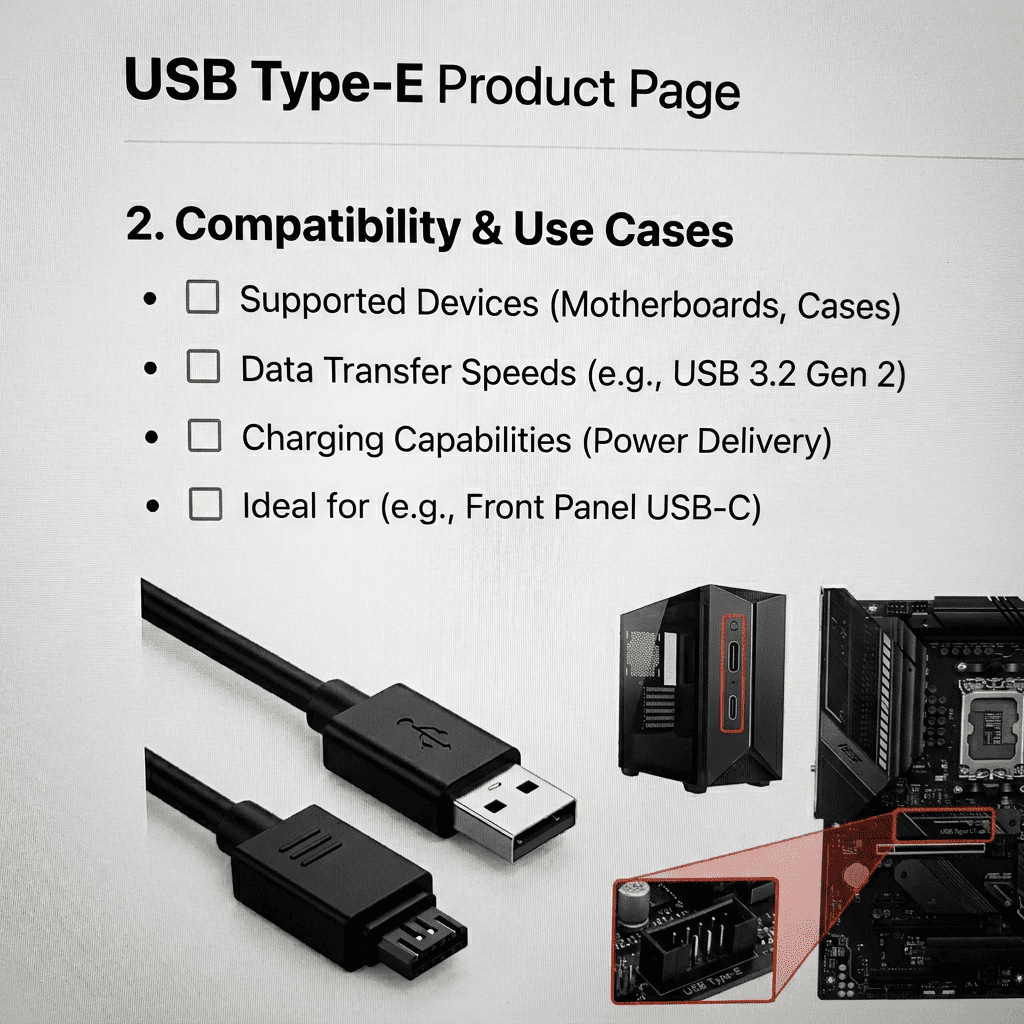
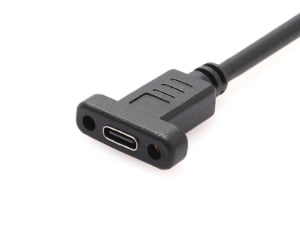
When I work with factory engineers, we always emphasize that the "Type-E" refers to the mechanical form factor. It's the physical interface that allows a cable to plug into the motherboard. The actual speed, whether it's USB 3.1 Gen1 (5Gbps), Gen2 (10Gbps), Gen 2x2 (20Gbps)3, or even USB4, depends entirely on the USB controller on the motherboard and the quality of the cable assembly. For example, a motherboard might have a Type-E header, but if its controller only supports USB 3.1 Gen1, then the front-panel USB-C port will only operate at Gen1 speeds, regardless of the connector type. I have seen customers mistakenly order "USB Type-E Gen2 cables" when their system could not even support that speed, leading to confusion and returns. From my perspective, working directly with factories, the "Type-E" designation is about ensuring physical compatibility for a specific internal wiring scheme. It guarantees the connector shape and pin arrangement on the board match the cable assembly's plug. The corresponding cable assembly for this header would have a Type-E plug (male) on one end to mate with the motherboard's Type-E receptacle (female), and typically a USB-C receptacle (female) on the other end for the PC case's front panel. This setup is widely used in modern desktop PCs, high-end workstations, and some industrial embedded systems4 where having a convenient, high-speed USB-C port on the front of the enclosure is essential. Distributors must communicate this distinction clearly: "Type-E" ensures the parts fit, but system performance is a separate specification.
Can I swap a USB 3.0 20-pin header with a Type-E header?
It is easy to assume that all internal USB headers are interchangeable, especially when they serve similar functions. However, trying to connect a USB 3.0 20-pin header to a USB Type-E header, or vice versa, will not work and could even damage components. We need to understand why these two are fundamentally distinct.
No, USB Type-E headers and USB 3.0 20-pin headers are completely incompatible both mechanically and electrically5, featuring distinct pin assignments and physical designs, which means they cannot be interchanged or connected using simple adapters.
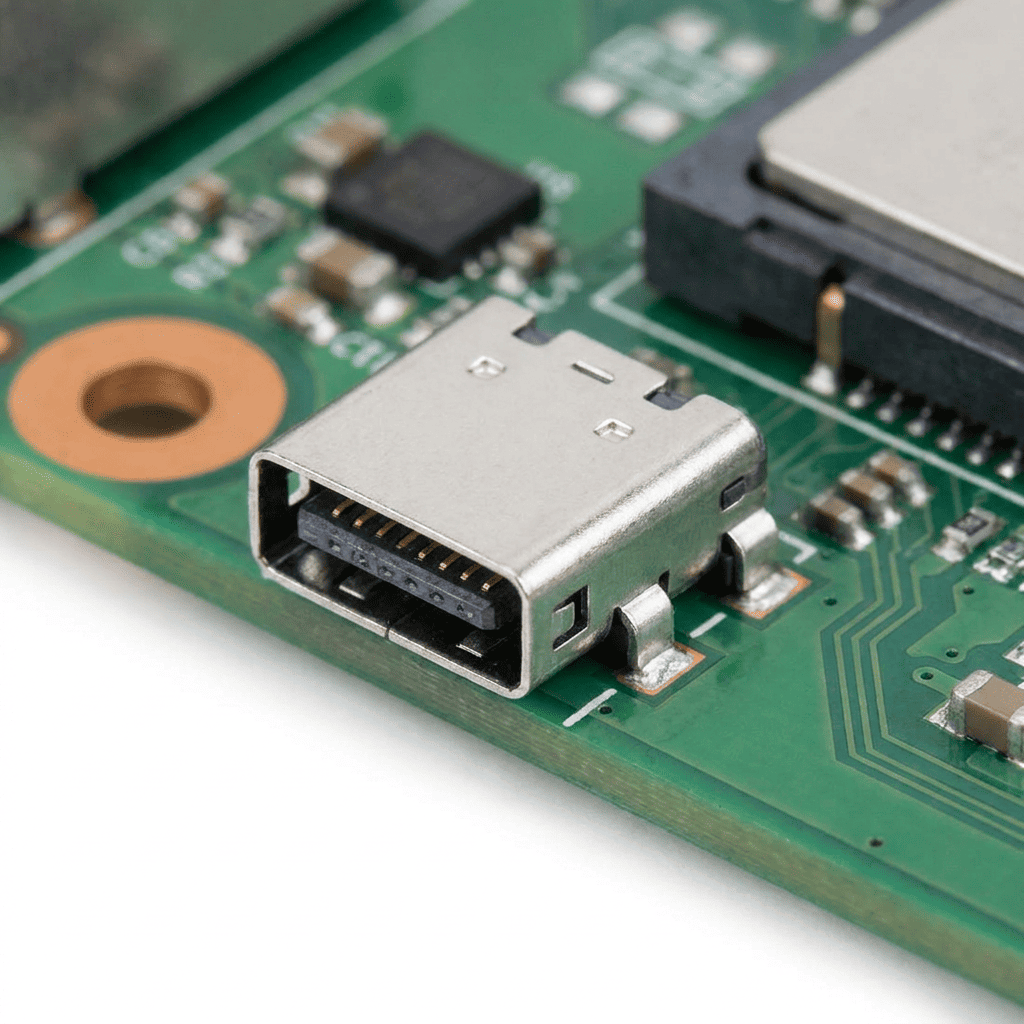
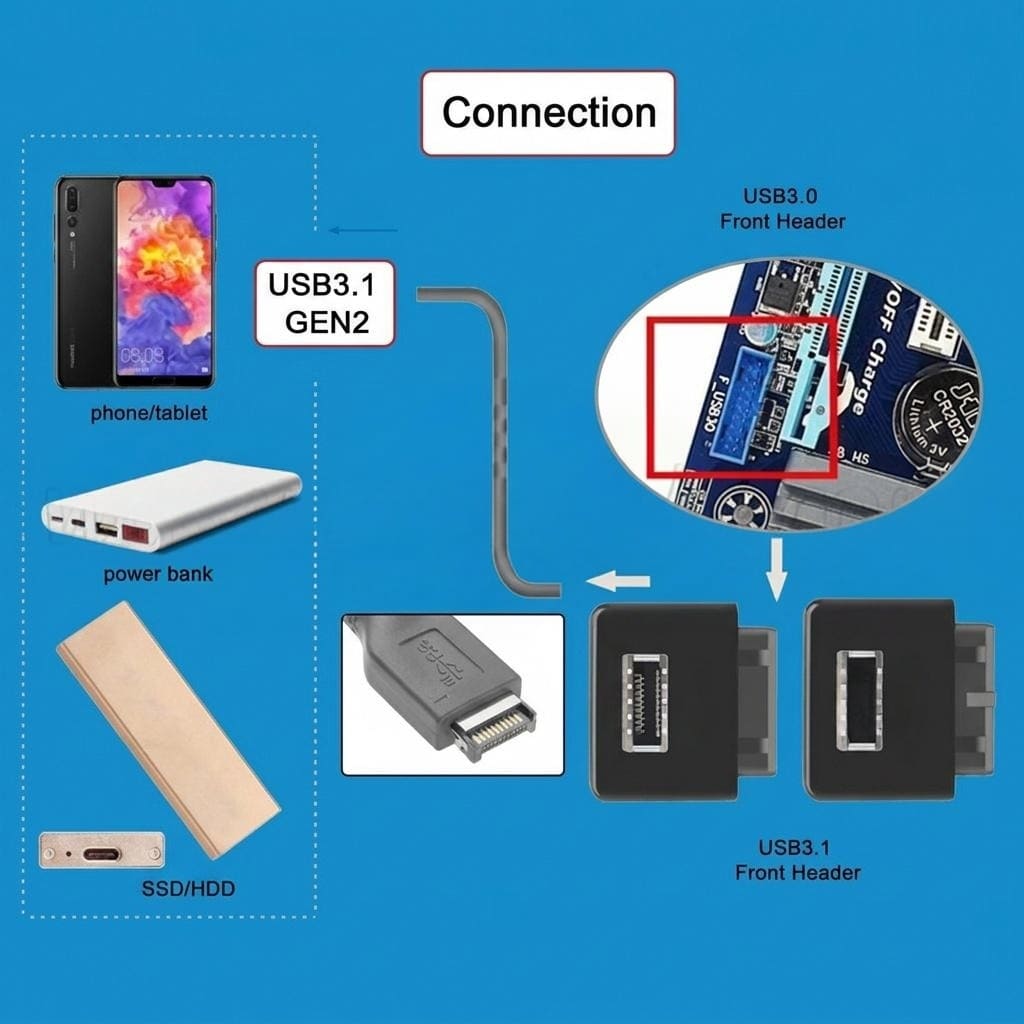
From my experience coordinating factory production, the USB 3.0 20-pin header is an older standard, designed primarily for internal USB 3.0 connectivity6, typically feeding front-panel USB-A ports. It features 19 active pins with one pin blocked off, acting as a key to ensure correct orientation7. Its physical size is generally larger, reflecting its design generation. In contrast, the USB Type-E header is a newer, more compact standard specifically engineered for USB-C front-panel applications8. It typically has 20 pins arranged in a 2x10 grid9, but its mechanical keying and overall footprint are entirely different from the 20-pin USB 3.0 header. The electrical pin assignments are not just different; they are completely redesigned to support the full features of USB-C, including its power delivery capabilities and reversible plug orientation10. Attempting to force a connection between these two header types will at best fail to establish a connection, and at worst, it risks short-circuiting the motherboard, potentially causing irreparable damage. I've heard stories from customers who thought an adapter would solve the problem. Let me be clear: there are no safe or reliable adapter cables that convert a USB 3.0 20-pin connection to a Type-E connection11, or the other way around. The fundamental differences in pinout, signal integrity requirements, and power delivery protocols make direct adaptation impractical and risky. For distributors, the simple rule is this: treat these two header types as distinct and non-interchangeable components. They serve different purposes, have different physical characteristics, and require their specific cable assemblies. Stocking decisions should always be based on the exact header type present on the customer's motherboard and the type of front-panel port they intend to support.
| Feature | USB 3.0 20-pin Header | USB Type-E Header |
|---|---|---|
| Pin Count | 19 active (1 blocked) | 20 active (2x10 grid) |
| Primary Use | Front-panel USB-A (USB 3.0) | Front-panel USB-C (USB 3.1/3.2/USB4) |
| Mechanical Keying | Specific blocked pin | Different notch/orientation |
| Physical Size | Larger footprint | More compact |
| Interchangeability | Not interchangeable | Not interchangeable |
| Adapter Availability | No safe/reliable adapters | No safe/reliable adapters |
How should distributors correctly name and list Type-E products?
Using generic or misleading product names can create significant confusion for your customers and lead to a frustrating cycle of mis-orders and returns. Many customers mistakenly associate "Type-E" with top-tier "Gen2" performance, which can set incorrect expectations. We need precise, application-focused naming conventions to prevent these issues.
Distributors should clearly name Type-E products by their specific application, physical position, and gender, using descriptions such as "Type-E board-side receptacle (female), internal header for front-panel USB-C," and must avoid incorporating unverified speed claims like "Gen2" in product titles or search filters.
From my conversations with factory production managers and quality control teams, we know that accurate product naming is a cornerstone of customer satisfaction and inventory management. When we specify parts for our overseas clients, we rigorously adhere to a "application + position + gender" rule for Type-E products. For example, instead of listing simply "USB Type-E Connector," a better, more informative name would be "USB Type-E Motherboard Internal Header Receptacle (Female) for Front Panel USB-C." This name immediately tells the customer it's the part that goes on the motherboard, it's an internal header, and it's for connecting to a front-panel USB-C port. Similarly, for the corresponding cable, we would describe it as "USB Type-E Internal Cable Assembly, Motherboard Plug (Male) to Front Panel USB-C Receptacle (Female)." The critical point here is to never include speed claims like "Gen2," "10Gbps," or "USB 3.1" directly in the product title or primary filters for the connector itself. The connector enables those speeds, but it does not guarantee them; the system's controller does. If a customer buys a product titled "USB Type-E Gen2 Connector" and then finds their system only operates at Gen1 speeds, they will feel misled, regardless of the connector's theoretical capability. This approach is not just about avoiding returns; it's about building trust and ensuring your product listings accurately reflect the item's function. My team spends a lot of time mapping factory part numbers to clear, descriptive names for our international customers, explicitly removing any ambiguous performance claims from the core product identification. This clarity ensures that when a distributor lists the part, their customers can make an informed decision based on the actual component and its intended application, rather than potential but unverified performance.
What essential details should be on a Type-E product page?
Incomplete product information on a listing is a major cause of selection errors, leading to high return rates and frustrated customers for distributors. Without critical details, it's difficult for buyers to confirm compatibility before purchasing. We need to provide precise, factory-validated information to ensure successful product integration.
A comprehensive Type-E product page should include factory-validated drawing references, clear photographs showing multiple angles, detailed mounting and retention features, exact hole pattern notes for PCB integration, and specific mating direction guidance, while strictly avoiding the publication of pin maps or unverified length and speed promises.
When I collaborate with factories to prepare products for export, I always stress the importance of granular detail for product pages. Distributors need to think like an engineer trying to integrate the component. First, and most importantly, reference the manufacturer's official drawing ID. This unique identifier is the single source of truth for all mechanical and electrical specifications. I always insist on including this, as it allows customers to cross-reference with official datasheets, ensuring what they see matches what they get. Second, detailed information on mounting and retention features is absolutely crucial. Does the header use latches, screw mounts, or locating pegs? How does it secure to the PCB? These details directly impact how easily and securely a customer can install the component in their system. Without this, customers might order a part that physically doesn't fit their design. Third, hole pattern notes are essential for PCB designers. While we avoid publishing full pinouts ourselves (directing to manufacturer datasheets for that), providing the footprint or referencing the exact drawing that contains it is vital for correct PCB layout. Fourth, clear mating direction and keep-out guidance helps prevent installation errors. Which way does the cable plug in? Are there any areas on the board that must be kept clear around the connector for proper cable routing or heat dissipation? Finally, high-quality, clear photos and technical drawings are invaluable. Show the connector from multiple angles, highlighting keying features and mounting points. What not to include is equally important. Never publish unverified pin maps or technical diagrams without direct attribution to the official manufacturer or USB-IF. Moreover, avoid making any promises about cable length performance or signal integrity12. Our role as suppliers and distributors is to provide the correct components with accurate mechanical and electrical compatibility information, not to guarantee system-level performance. This meticulous approach, which I practice daily with my factory partners, significantly reduces the likelihood of customers ordering incompatible parts, thereby minimizing returns and enhancing customer satisfaction.
Conclusion
Understanding USB Type-E is key: it's a motherboard-side internal header for front-panel USB-C, distinct from USB 3.0 20-pin, and its naming and product details must focus on physical form factor, not unverified speed claims.
"USB hardware - Wikipedia", https://en.wikipedia.org/wiki/USB_hardware. The USB Type-E designation refers to a specific internal header connector specification defined for motherboard-to-front-panel USB-C connectivity, as documented in USB implementers' technical specifications. Evidence role: definition; source type: institution. Supports: the official definition and specification of USB Type-E as an internal header form factor. Scope note: USB Type-E may be an industry colloquial term rather than an official USB-IF designation, requiring verification of the actual standards body nomenclature. ↩
"USB hardware - Wikipedia", https://en.wikipedia.org/wiki/USB_hardware. USB specifications distinguish between physical connector types (form factors) and protocol versions, with connector design not determining data transfer rates, which depend on controller implementation and cable quality. Evidence role: mechanism; source type: institution. Supports: the principle that USB connector form factors are independent of protocol versions and data rates. ↩
"[PDF] USB 3.1 Specification Language Usage Guidelines from USB-IF", https://www.usb.org/sites/default/files/usb_3_1_language_product_and_packaging_guidelines_final_0.pdf. USB-IF specifications define USB 3.1 Gen1 (SuperSpeed) at 5 Gbps, Gen2 (SuperSpeed+) at 10 Gbps, with USB 3.2 Gen 2x2 achieving 20 Gbps through dual-lane operation. Evidence role: statistic; source type: institution. Supports: the official data transfer rates for USB 3.1 Gen1, Gen2, and Gen 2x2. ↩
"USB hardware - Wikipedia", https://en.wikipedia.org/wiki/USB_hardware. Industry analysis indicates increasing adoption of internal USB-C headers on motherboards across desktop and workstation segments as manufacturers respond to demand for front-panel USB-C connectivity. Evidence role: general_support; source type: research. Supports: the adoption and prevalence of internal USB-C headers in various computer system categories. Scope note: Specific adoption rates and market penetration data for Type-E headers specifically may not be publicly available, with most data covering general USB-C front-panel connectivity trends. ↩
"USB 3.0 - Wikipedia", https://en.wikipedia.org/wiki/USB_3.0. USB internal header specifications define distinct mechanical keying, pin arrangements, and electrical signaling for USB 3.0 19-pin headers versus newer USB-C internal headers, preventing physical interchangeability. Evidence role: mechanism; source type: institution. Supports: the mechanical and electrical differences between USB 3.0 internal headers and USB Type-E headers. Scope note: Verification required that 'Type-E' is the official designation used in USB-IF specifications rather than manufacturer-specific terminology. ↩
"USB 3.0 - Wikipedia", https://en.wikipedia.org/wiki/USB_3.0. The USB 3.0 internal header standard was introduced alongside USB 3.0 specification adoption to provide motherboard-to-front-panel connectivity for SuperSpeed USB ports, featuring a 19-pin active configuration with mechanical keying. Evidence role: historical_context; source type: institution. Supports: the development and purpose of USB 3.0 internal headers for motherboard connectivity. ↩
"USB 3.0 - Wikipedia", https://en.wikipedia.org/wiki/USB_3.0. USB 3.0 internal header specifications define a 20-position connector with 19 active pins and one blocked position serving as a mechanical key to prevent incorrect insertion and ensure proper orientation. Evidence role: definition; source type: institution. Supports: the pin configuration and mechanical keying design of USB 3.0 internal headers. ↩
"USB hardware - Wikipedia", https://en.wikipedia.org/wiki/USB_hardware. Internal USB-C header specifications were developed to support the growing adoption of USB Type-C ports on computer front panels, providing a standardized motherboard connection point with more compact dimensions than previous USB 3.0 headers. Evidence role: historical_context; source type: institution. Supports: the development of internal USB-C headers as a newer standard for front-panel connectivity. Scope note: Confirmation needed that 'Type-E' is the official USB-IF designation rather than industry colloquial terminology. ↩
"USB hardware - Wikipedia", https://en.wikipedia.org/wiki/USB_hardware. USB internal header specifications for USB-C connectivity define pin arrangements and counts to support the full feature set of USB Type-C including power delivery and alternate modes. Evidence role: definition; source type: institution. Supports: the pin configuration and physical arrangement of USB Type-E internal headers. Scope note: Specific confirmation of the 2x10 grid arrangement for Type-E headers requires verification against official USB-IF or manufacturer specifications. ↩
"USB-C - Wikipedia", https://en.wikipedia.org/wiki/USB-C. USB Type-C specifications define electrical requirements for power delivery and reversible connectivity, which internal headers must support through appropriate pin assignments and signal routing to enable full USB-C functionality at front-panel ports. Evidence role: mechanism; source type: institution. Supports: how USB-C internal headers enable power delivery and other USB-C features. ↩
"Using a USB 3.0 to USB C for a front panel connector? - Reddit", https://www.reddit.com/r/buildapc/comments/zofmep/using_a_usb_30_to_usb_c_for_a_front_panel/. Electrical engineering principles indicate that adapters between USB internal headers with fundamentally different pin assignments, power delivery requirements, and signal protocols pose significant risks including short circuits and signal integrity failures. Evidence role: mechanism; source type: education. Supports: the technical challenges and safety concerns of adapting between incompatible USB internal header types. Scope note: This represents general engineering consensus rather than a specific prohibition documented in USB specifications. ↩
"USB Cable Max Length Explained: Extending and Optimizing - Anker", https://www.anker.com/blogs/cables/usb-cable-max-length. USB specifications define maximum cable lengths for different USB generations based on signal integrity requirements, with longer cables potentially causing signal degradation, increased bit error rates, and reduced effective data transfer speeds. Evidence role: mechanism; source type: institution. Supports: how cable length affects USB signal integrity and the importance of length specifications. ↩